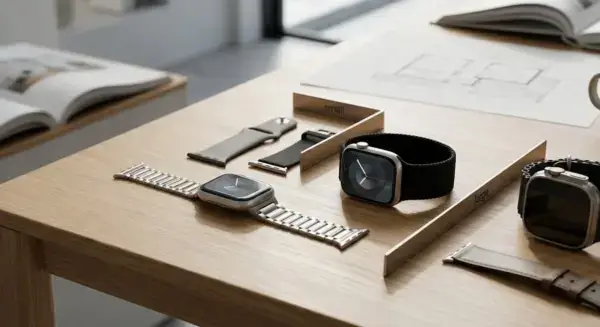
Quick Answer: Which Bands Fit Apple Watch Series 9 and Ultra 2?
Apple Watch band compatibility depends on matching your watch’s case size to the right band group. For Apple Watch Series 9 and Ultra 2, not all bands are universal—you need bands from the correct size group for them to fit the connector and case.
Here is what fits each model:
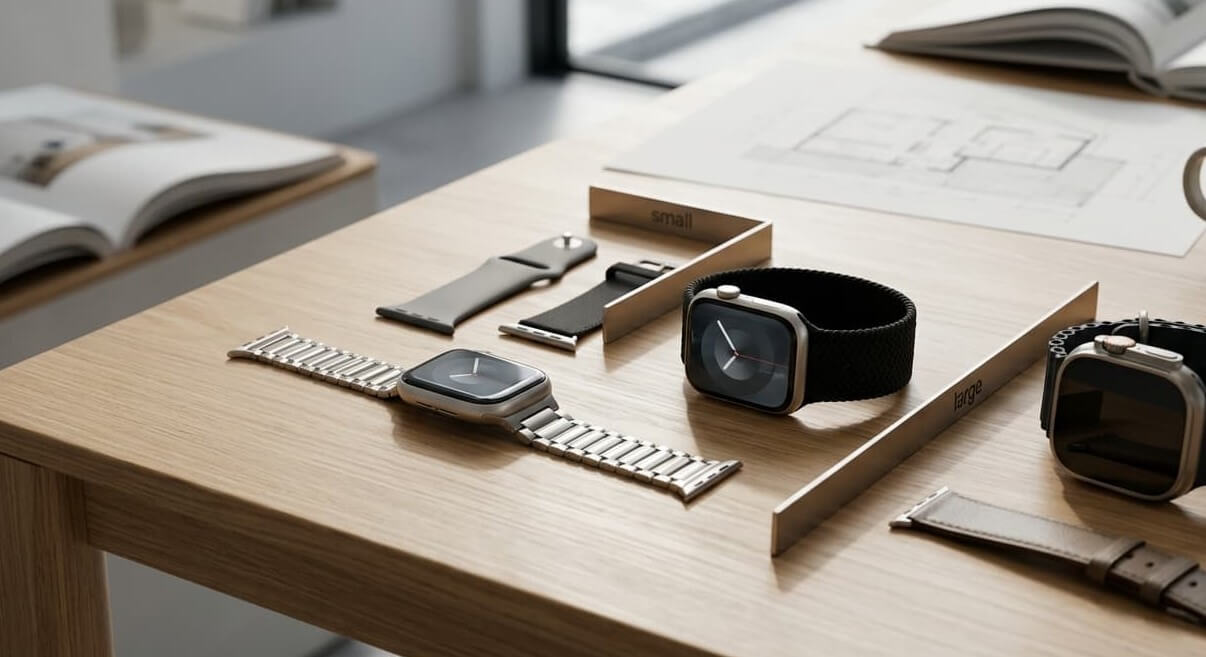
- Apple Watch Series 9 41mm uses the small group and works with 38mm, 40mm, or 41mm bands.
- Apple Watch Series 9 45mm uses the large group and works with 42mm, 44mm, 45mm, 46mm, or 49mm bands.
- Apple Watch Ultra 2 49mm uses the large group and works with 44mm, 45mm, 46mm, or 49mm bands.
This table summarizes the Apple Watch Size Compatibility for these models:
| Case Size | Compatible Band Sizes | Models |
|---|---|---|
| 41mm | Small group (38/40/41mm) | Series 9 |
| 45mm | Large group (42/44/45/46/49mm) | Series 9 |
| 49mm | Large group (42/44/45/46/49mm) | Ultra/Ultra 2 |
Even with the right group match for functional compatibility, aesthetics may vary based on your wrist and band style.
Apple Watch Size Groups Explained
Apple Watch bands are not universal, but they are organized into two main size groups that determine whether a band will fit your watch. Understanding these groups is the key to confidently choosing compatible bands.
The Two Compatibility Groups
Apple Watch cases come in different sizes, and bands are designed to work with specific size ranges. All bands use the same basic attachment system, but the physical dimensions of the connector—the part of the band that slides into the watch—are sized differently for each group. The small group includes 38mm, 40mm, and 41mm cases, covering the apple watch series 9 band size for the 41mm model. The large group includes 42mm, 44mm, 45mm, 46mm, and 49mm cases, which covers the apple watch series 9 band size for 45mm and apple watch ultra band size for 49mm.
Bands made for any size within the same group are interchangeable with each other. However, a band from the small group will not fit into a large group watch, and vice versa. For example, a 41mm band will not fit an Apple Watch Ultra 2 (49mm), even though both are Apple Watch devices.
To find your watch’s case size, open the Apple Watch Settings app, go to General, then About. Your case size will be listed there.
For a quick reference on which band sizes match which watches, visit our Apple band sizes guide for a complete chart.
How the Connector and Band Release Button Work
All Apple Watch bands attach using a slide-and-lock connector system. The connector is the small rectangular part at the end of the band that slides into the slot on the side of your watch case. Once you push the band connector in far enough, it locks into place with a click. This same connector design is used across all Apple Watch models, but the physical size of the connector differs between the small and large groups.
To remove a band, you press the band release button, a small button located on the side of the watch case. When you press and hold this button, it unlocks the connector, allowing you to slide the band out. This release button is the same whether you own a Series 9 or an Ultra 2; the difference is only in the size of the connector slot it controls.
The lug is the slot or opening on the side of your watch case where the band connector slides in. The lug size matches the connector size, so a small group connector slides into a small group lug, and a large group connector slides into a large group lug. This mechanical pairing is why size compatibility is absolute: the connector either fits the lug or it does not.
Diagram description: A side view of an Apple Watch showing the band release button on the left edge of the case. An arrow indicates the button location. Below, a close-up shows a band connector (the rectangular part at the end of the band) sliding into the lug (the side opening). A dotted line shows the connector moving toward and into the lug, with a final image showing the connector fully inserted and locked, indicated by a small click mark or lock symbol at the base of the lug.
This simple system is why checking your case size before buying a band is so important: it determines which group your watch belongs to and which bands will mechanically fit. Next, you will learn how specific Apple Watch models map to these two groups.
Band Compatibility by Apple Watch Series
Apple Watch bands are compatible within two main size groups. Understanding which generation your watch belongs to makes it easy to find compatible bands, and you can confidently reuse older bands on newer watches or vice versa as long as they belong to the same size group.
How Band Compatibility Works Across Generations
Apple has released Apple Watch models in various case sizes since Series 1. Rather than redesigning the connector for each new series, Apple groups watches into two size categories: the small group (38mm, 40mm, 41mm) and the large group (42mm, 44mm, 45mm, 46mm, 49mm). Any band made for a case size within the same group will fit any watch in that group, regardless of when the watch or band was manufactured. This means a band designed for your Series 3 42mm watch will work perfectly on a brand-new Apple Watch Ultra 2 49mm because both belong to the large group. However, it may look narrow on the larger Ultra 2 case due to differences in aesthetics and fit. The key distinction is between functional compatibility (the band physically attaches) and visual fit (how it looks on your watch).
For a complete overview of all Apple Watch models and their corresponding bands, see the Full Apple Watch models list.
Generation Compatibility Table
This table maps each Apple Watch generation to its case sizes and band group compatibility:
| Series/Model | Case Sizes | Band Group |
|---|---|---|
| Series 1–3 | 38mm, 42mm | Small (38mm), Large (42mm) |
| Series 4–6 | 40mm, 44mm | Small (40mm), Large (44mm) |
| Series 7–9 | 41mm, 45mm | Small (41mm), Large (45mm) |
| SE (1st & 2nd Gen) | 40mm, 44mm / 41mm, 45mm | Small (40mm, 41mm), Large (44mm, 45mm) |
| Ultra / Ultra 2 | 49mm | Large (49mm) |
Backward and Forward Compatibility
A common question is whether you can use an older band on a newer watch. The answer is yes, as long as the case size falls within the same group. For example, a 42mm band from your Series 3 will fit a Series 6 44mm watch, a Series 9 45mm watch, or an Ultra 2 because all of these belong to the large group. Similarly, a newer 45mm band will work on an older 44mm Series 5 or 6 watch.
The same logic applies in reverse: newer bands fit older watches within the same size group. This backward and forward compatibility is one of the strengths of Apple Watch design and makes it easy to invest in multiple band styles without worrying about which watch model will support them.
The Series 3 to Ultra 2 Example
To illustrate, consider a Series 3 with a 42mm case. That watch came with bands designed for the large group connector. If you upgrade to an Apple Watch Ultra 2 (49mm), you can insert that old Series 3 band into the Ultra 2 because both watches use the same slide-and-lock connector mechanism and both belong to the large group. The band will attach securely and function normally. However, the Series 3 band was designed with a narrower width to suit the smaller case. When placed on the Ultra 2’s larger 49mm case, it may look noticeably narrow, with visible gaps on the sides of the watch. This is a visual or aesthetic difference, not a compatibility failure.
Series 9 Specifics: 41mm vs 45mm Bands
Your Apple Watch Series 9 comes in two case sizes: 41mm and 45mm. These use different band groups, so when you shop or reuse bands, match the group to avoid mix-ups.
The 41mm Series 9 uses the small group (38/40/41mm) bands. The 45mm Series 9 uses the large group (42/44/45/46/49mm) bands. This means a band from one size won’t fit the other case size due to the connector design.
How Bands Look on 41mm vs 45mm
The same band style can look quite different on these case sizes. A Sport Band designed for the small group will cover more of the 41mm case sides, giving a balanced look. On a 45mm case, a large group Sport Band sits flush with the edges for a sleek fit.
For example, picture a Milanese Loop on a 41mm Series 9: it wraps neatly around the smaller case, feeling snug and proportional. The same style on a 45mm Series 9 spreads out more, looking wider and more substantial, which suits larger wrists but might feel bold on smaller ones. A small group band on a 41mm Series 9 often feels just right, with no gaps or overhang.
Pros and Cons: Bands for 41mm vs 45mm Series 9
This table compares key factors for choosing bands on each Series 9 size.
| Factor | 41mm Series 9 (Small Group Bands) | 45mm Series 9 (Large Group Bands) |
|---|---|---|
| Functional Compatibility | Fits 38/40/41mm connectors perfectly | Fits 42/44/45/46/49mm connectors perfectly |
| Aesthetic Considerations | Balanced proportions on smaller case; may look delicate | Full coverage on larger case; may look bold or wide |
| Band Variety | Wide options like Sport Loop for everyday | More rugged choices like Link Bracelet available |
| Best For | Smaller wrists seeking subtle style | Larger wrists wanting a bolder presence |
For 41mm, go for small group bands if you want a compact feel. For 45mm, pick large group bands to match the case width. Check your case size first to stay in the right group.
Apple Watch Ultra 2: 49mm Band Guide
Your Apple Watch Ultra 2 has a 49mm case size and uses the large group (42/44/45/46/49mm) for band compatibility. This means it works with bands from those sizes in the large group.
Apple Watch Ultra 2 bands fit securely thanks to the functional compatibility of the large group. You can use 44mm, 45mm, 46mm, or 49mm bands on it.
Ultra-Specific Band Types
The Apple Watch Ultra 2 pairs well with bands designed for active use. Here are key types and their typical uses.
- Ocean Band: Designed for water activities like diving or swimming, with an elastic design for securing and adjusting.
- Alpine Loop: Designed for outdoor activities, featuring a durable nylon weave and adjustable fastening.
- Trail Loop: Designed for active wear, with a lightweight loop that adjusts easily for daily use.
For casual vs rugged use, choose Ocean Band, Alpine Loop, or Trail Loop for active pursuits. Save standard large group bands from the 44mm, 45mm, or 46mm family for everyday wear, as they offer a lighter feel.
Wrist Sizing for Loops
Getting the right size for loop-style bands like Solo Loop, Braided Solo Loop, or Trail Loop ensures a good fit on your Apple Watch Ultra 2. Use this checklist to guide your choice.
- Measure your wrist with a flexible tape just above the wrist bone, aiming for your preferred watch position.
- Download and use the Apple template to match your measurement against band sizes.
- Try on the band if possible to feel how it sits on the 49mm case.
- Check that your wrist falls within the 130–220mm wrist range as a general reference for comfort.
If your wrist is on the smaller side, such as 130–150mm, a small wrist on Ultra 2 may make even S/M loop bands feel snugger due to the larger 49mm case. Bands might look more proportional, but comfort may vary—try before buying.
How to Change Your Apple Watch Band (Step-by-Step)
Changing your Apple Watch band is simple once you know the steps. You use the band release button on each side of the watch to slide bands out and in. This works for most bands on Apple Watch Series 9 and Ultra 2, as long as they match your case size group.
How to Change Band
Follow these steps to swap bands safely. Always work gently to avoid damage.
- Place the watch face down on a soft surface. This protects the screen.
- Locate the band release button—the small button on the side of the watch case. Press and hold it down firmly with your thumb or finger.
- While holding the button, slide the band away from the watch case. It should come out smoothly from the lug (the slot or area on the watch where the band slides in).
- Repeat on the other side to remove the full band.
- To attach the new band, align the connector on the new band with the lug. Slide it in while holding the band release button until you feel or hear a click.
- Release the button and gently tug the band to confirm it locks securely in place.
Watch a video demo of band swap to see it in action.
Tips for Specific Band Types
Solo Loop and Braided Solo Loop attach at the connector like other bands, but to put them on or take them off your wrist, you stretch the loop carefully over your hand. Remove them from the watch first using the steps above, then slide them onto your wrist.
For the Link Bracelet, some links have a quick release button (a small button on individual links). Press it to adjust or remove links without tools, but never force any parts. If it does not release easily, check Apple’s guide for your model.
Common Mistakes to Avoid
- Do not force the band if it does not slide. This can damage the lug or connector.
- Always ensure the new band clicks or locks fully before wearing. A loose fit can cause it to fall off.
- Match your new band to the small group or large group for your case size first.
Wrist Sizing and Fit Tips
Functional compatibility ensures your band fits the connector and case-size group, but wrist sizing handles comfort and aesthetics. Getting the length right helps avoid common issues like a band looking too narrow on a larger case or creating overhang and gaps on smaller wrists.
Measure Your Wrist for the Best Fit
Start by measuring your wrist to pick the right band length. Use a flexible tape measure or string around the wrist where you wear your watch, just above the wrist bone. For precision, Download wrist sizer from Apple to print and wrap around your wrist—it shows exact band sizes that match.
Apple bands like Solo Loop and Braided Solo Loop come in sizes such as S/M or M/L. S/M fits smaller wrists, while M/L suits larger ones. Keep in mind the 130–220mm wrist range as a general reference for most bands.
Decision Tree for Loop Sizes
Follow this guidance to choose between S/M and M/L. Results may vary based on band style and personal preference:
- If your wrist typically measures 130–160mm, consider S/M for a snug fit.
- If your wrist is 160–190mm, try M/L for balanced coverage.
- If your wrist exceeds 190mm (up to 220mm), go with M/L to avoid gaps.
- Always try on if possible, as case size and personal preference affect fit.
Aesthetics and Visual Fit Issues
Even with the right group, looks matter. A band from the large group (42/44/45/46/49mm) may look narrow on a 45mm or 49mm case, leaving more case exposed. On the flip side, a short band on a small wrist can overhang or gap, especially with pin-style or loop designs. Consider these subjective factors when selecting a band style.
When Bands Aren’t Compatible + Third-Party Tips
While Apple Watch band compatibility follows clear size group rules for most bands, some exceptions exist where bands will not work or could risk damaging your watch. These cases highlight why not everything is interchangeable.
Key Exceptions to Standard Compatibility
Integrated cases are a common exception. These protective cases often have built-in bands or modified lugs that replace the standard slide-and-lock connector, making them incompatible with regular bands from the small group (38/40/41mm) or large group (42/44/45/46/49mm).
Model-specific or integrated designs can also break rules. For example, certain limited-edition watches or custom cases alter the lug area, preventing standard bands from attaching securely even if the case size matches your group. In these situations, you may need manufacturer-specific replacements to avoid forcing incompatible parts, which could scratch the watch or prevent proper locking.
Third-Party Bands: Risks and Safe Choices
Third-party bands offer variety, but cheaper options pose risks. Low-quality connectors may fail to slide or lock correctly, potentially damaging your Apple Watch Series 9 or Ultra 2. Poor quality may cause loose fits, slipping during use, or wearing out the lug over time. Always prioritize options from reputable sellers who match the small or large group precisely.
To help you choose safely, here is a checklist for avoiding third-party risks:
- Verify the band is labeled for your exact case size group—small group (38/40/41mm) or large group (42/44/45/46/49mm)—before buying.
- Check that the third-party connector slides smoothly into the lug without gaps or forcing; it should match Apple’s slide-and-lock design.
- Test the lock mechanism—press firmly to ensure it clicks securely and does not wiggle when tugged gently.
- Avoid bands that feel flimsy or use untested materials; look for durable construction that matches Apple’s standards.
- Buy from sellers with return policies, and inspect upon arrival for any connector mismatch before full use.
Following these steps helps protect your watch while exploring third-party options. Results may vary due to design differences.
Popular Band Types for Series 9 and Ultra 2
Apple Watch bands come in styles that suit different activities and looks. You can pick based on your daily needs, like workouts or office wear. Here is a breakdown of popular categories, with use cases and fit notes for Apple Watch Series 9 and Ultra 2.
Sport Bands
Sport Bands work well for everyday workouts and active days. They have a pin buckle and ventilated design. A Sport Band in the small group fits the 41mm Series 9 for casual exercise. On the 45mm Series 9 or Ultra 2, a large group version gives more coverage.
Sport Loop
Sport Loops use a hook-and-loop fastener for quick adjustments and suit active wear. They come in S/M or M/L sizes to match your wrist. A Sport Loop on the 45mm Series 9 offers easy on-off for busy days.
Solo Loop and Braided Solo Loop
Solo Loops stretch to fit without buckles, ideal for swim or yoga. Braided Solo Loops add texture for a premium feel. Pick exact sizes based on wrist measurement. A Solo Loop for the 41mm Series 9 keeps things minimal. On Ultra 2, a large group Solo Loop fits the connector but may look narrow if from the 42mm family, creating side gaps.
Leather and Modern Buckle
Leather bands or Modern Buckles bring a dressy vibe for work or evenings. They adjust with magnets or buckles for polished outfits. A Modern Buckle in large group suits the 45mm Series 9 for professional settings.
Metal Bands
Metal options like Milanese Loop or Link Bracelet offer durability and shine. Milanese Loops adjust smoothly with a magnetic clasp; Link Bracelets use removable links with quick release buttons for easy adjustments. A Milanese Loop fits the 41mm Series 9 for a refined daily look. On Ultra 2, a Link Bracelet from the large group works for professional settings but adjust links to avoid overhang.
Rugged Bands
Rugged bands handle outdoor use with secure holds. These pair best with Ultra 2 for adventures. A large group rugged band on Ultra 2 suits outdoor pursuits, though a 42mm family band fits the connector but may look narrow on the 49mm case.
FAQ
Are all Apple Watch bands compatible?
No, Apple Watch bands are organized into two main size groups based on case dimensions. Bands from the small group (38/40/41mm) only fit small group cases, while bands from the large group (42/44/45/46/49mm) fit large group cases. Functional compatibility depends on matching these groups via the slide-and-lock connector.
What size band for Apple Watch Series 9 41mm/45mm?
For the 41mm Apple Watch Series 9, use small group bands (38/40/41mm). For the 45mm Series 9, use large group bands (42/44/45/46/49mm). These match the case size for functional compatibility. Check the back of your watch to confirm the case size.
Apple Watch Ultra 2 band size and compatibilities?
The Apple Watch Ultra 2 has a 49mm case size and uses large group bands (42/44/45/46/49mm). This includes activity-focused types like Ocean Band, Alpine Loop, and Trail Loop. Standard large group bands work for casual use, though may look narrow on the larger case.
Do older bands fit Series 9 / Ultra 2?
Yes, older bands fit if they match the size group per Apple’s compatibility rules. Small group bands (38/40/41mm) from earlier models work on 41mm Series 9. Large group bands (42/44/45/46/49mm), like a Series 3 42mm band, fit 45mm Series 9 and Ultra 2, though aesthetics may vary.
How to measure wrist for Solo Loop?
Measure your wrist circumference in millimeters using a flexible tape. Compare to Apple’s sizing template for Solo Loop or Braided Solo Loop to pick S/M or M/L. Aim for the 130–220mm wrist range as a general reference, and try on if possible for comfort.
Can third-party bands damage my watch?
Third-party bands carry increased risk if they do not match the slide-and-lock connector properly. Poor quality may cause loose fits or scratches on the lug area. Always check for secure locking and group compatibility to minimize issues.
How do I change an Apple Watch band?
Place the watch face down and press the band release button on the side of the case to slide the band out. Align the new band’s connector with the lug and slide it in until it clicks. Avoid forcing and check for secure fit. See the video demo of band swap for a visual guide.
What is the band release button?
The band release button is a small button located on the side of the Apple Watch case. Pressing and holding it unlocks the band connector, allowing you to slide the band out. It is the same design across all Apple Watch models; only the connector slot size differs by group.
Will a large group band look good on a small wrist with Ultra 2?
Large group bands fit the Apple Watch Ultra 2 functionally, but on a small wrist they may overhang or feel bulky. Aesthetics may vary based on personal preference. Opt for S/M sizes in bands like Trail Loop within the 130–160mm wrist range, and test fit for comfort.